

Stop managing proxy credentials across spreadsheets, shared docs, and Slack threads. Proxy management for teams means one dashboard, one billing relationship, and one place to push configs to every machine. This guide covers what changes when you move from individual proxy clients to centralized proxy management, the features that make it work at team scale, and how to evaluate an enterprise proxy client for your organization.
The Problem: Team Proxy Management Shouldn't Feel Like Spreadsheet Wrangling
Most proxy clients were built for individual users. At team scale, the cracks show fast.
Credentials in spreadsheets. Proxy logins get pasted into shared docs and Slack threads. Nobody knows who has access to what.
Configuration drift. Every machine ends up with a slightly different setup. Updates require touching every laptop one at a time.
Zero visibility. When something breaks, you have no central place to see which proxies are firing or which are failing.
ProxyTool was built for proxy client team management from day one. Every feature works the same for one user as it does for two hundred.
Before vs. After Centralized Proxy Management
Compare the team workflow with traditional proxy clients against ProxyTool's centralized approach.
| Workflow | Traditional Proxy Client | ProxyTool for Teams |
|---|---|---|
| Onboarding a new hire | Email credentials, walk through setup, hope nothing breaks | Send dashboard invite, role-based access activates automatically |
| Updating proxy credentials | Update each machine manually or write XML scripts | Update once in the dashboard, push to every machine |
| Removing access for a leaver | Track down every machine they touched, hope you got them all | Revoke their dashboard account, all access cuts immediately |
| Buying proxies for the team | Manage separate provider accounts, pay multiple invoices | Buy through the integrated marketplace, one bill |
| Auditing usage | Comb through individual log files on every machine | Real-time analytics across the entire fleet in one view |
| Mixed devices | Different tools per OS, or no option for phones and tablets | One app for Windows, macOS, Linux, Android, iOS, and iPadOS |
Features Built for Proxy Management at Team Scale
Six capabilities turn a proxy client into a fleet management platform.
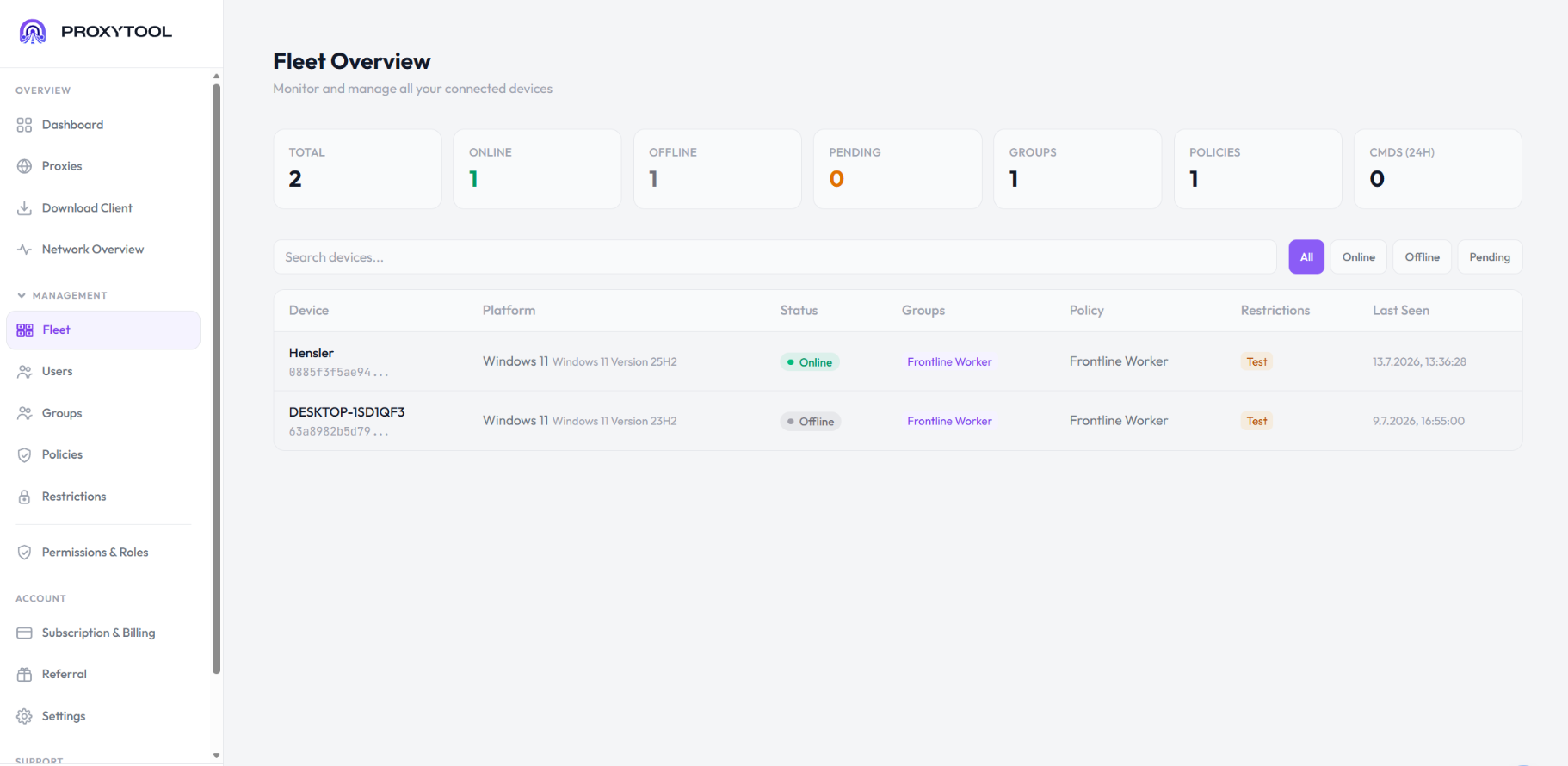
Centralized Dashboard
One web dashboard for the entire team. See every machine, every proxy, every rule, and every connection in real time. Filter by team member, department, proxy type, or any tag you've configured.
- See every machine in one view
- Filter by team or department
- Real-time connection feed
Role-Based Access Control
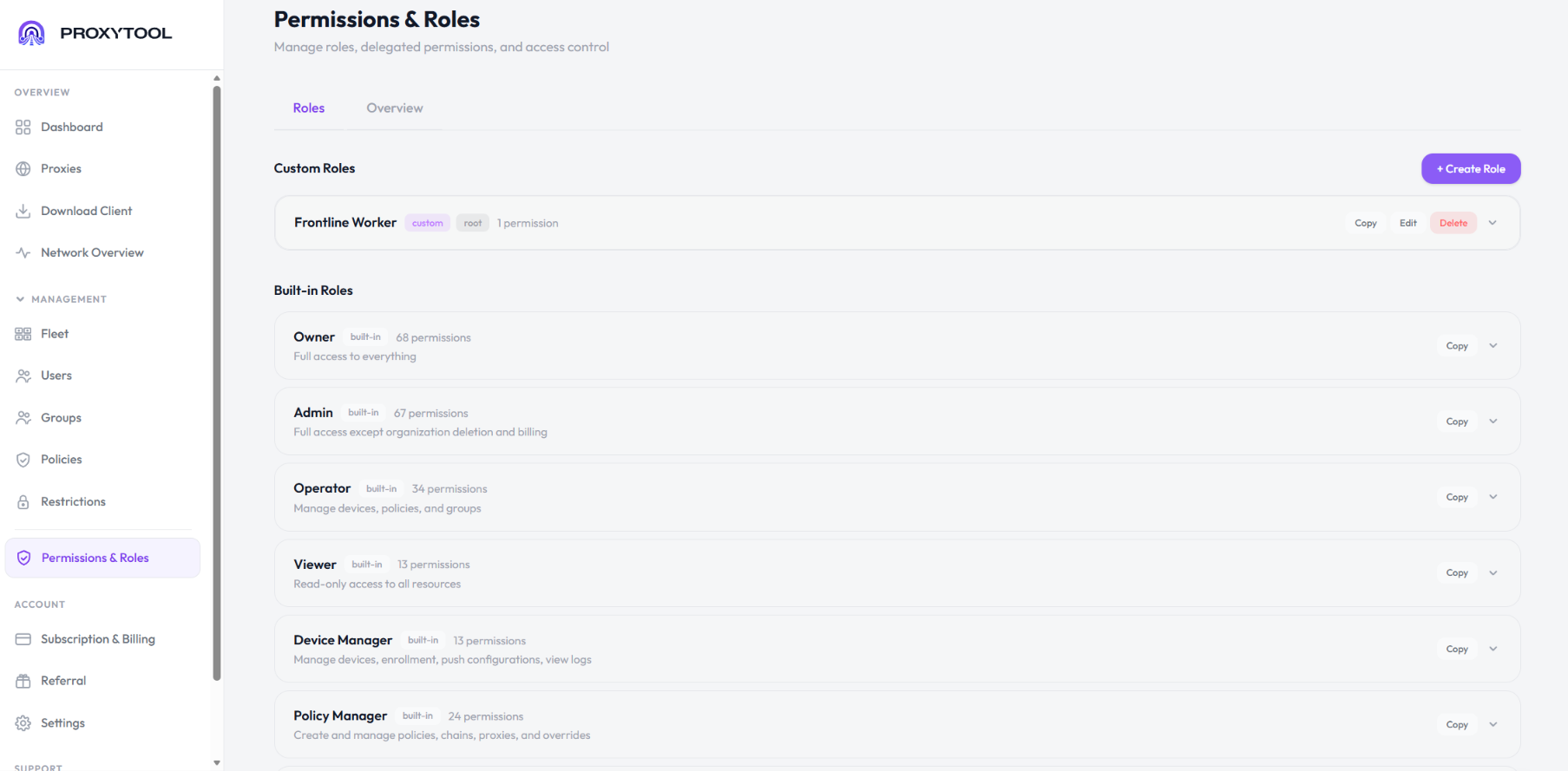
Not everyone on the team needs the same level of access. Assign roles for admins, operators, and viewers. Every action gets logged for audit purposes, with timestamps and actor identification.
- Three default roles plus custom
- Full audit log of changes
- Granular permission control
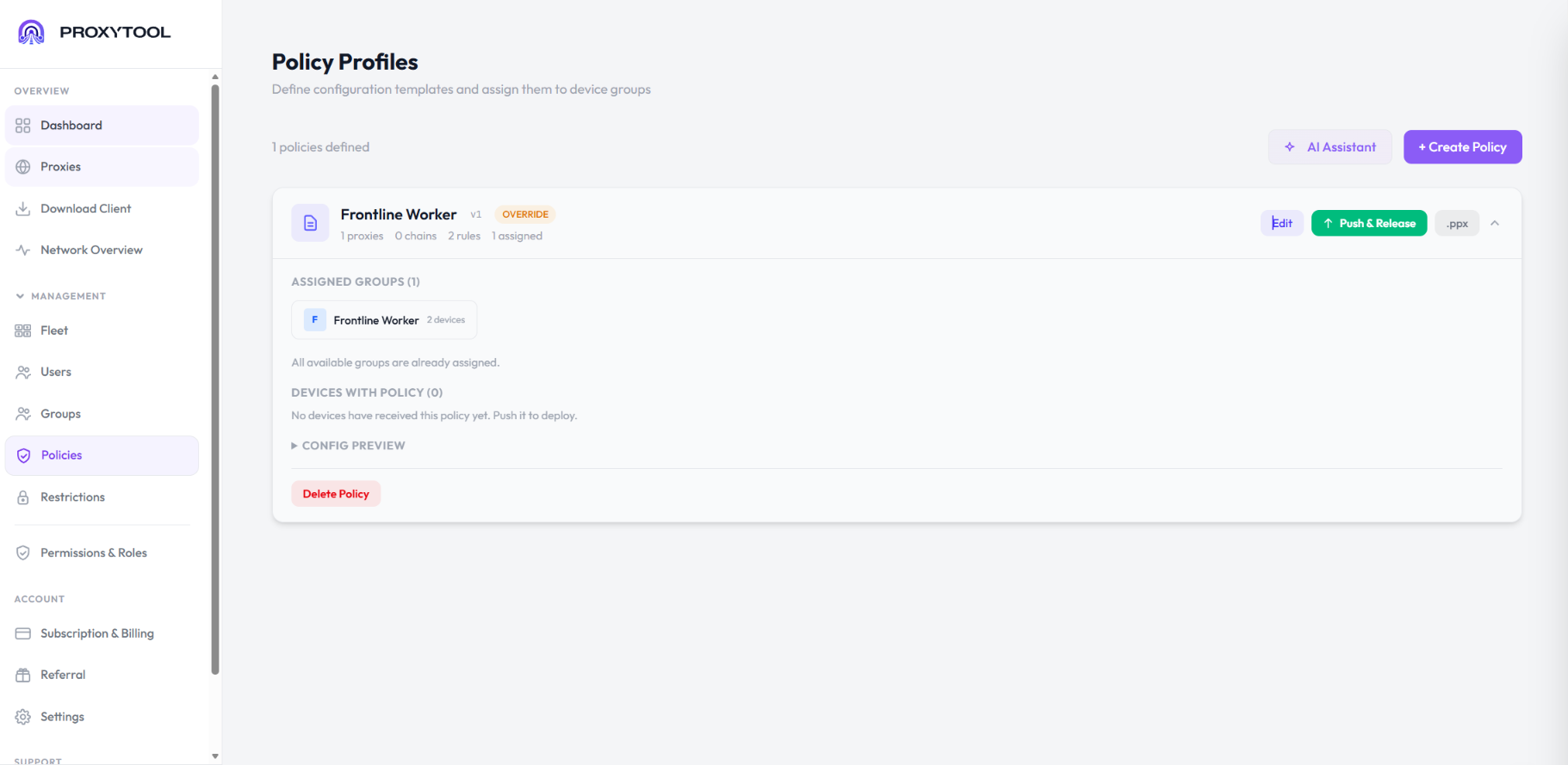
Remote Configuration Push
Update rules, add proxies, or change routing logic from the dashboard, and the changes propagate to every machine in seconds. No more remoting into individual laptops.
- Push configs in seconds
- Zero configuration drift
- Roll back any change instantly
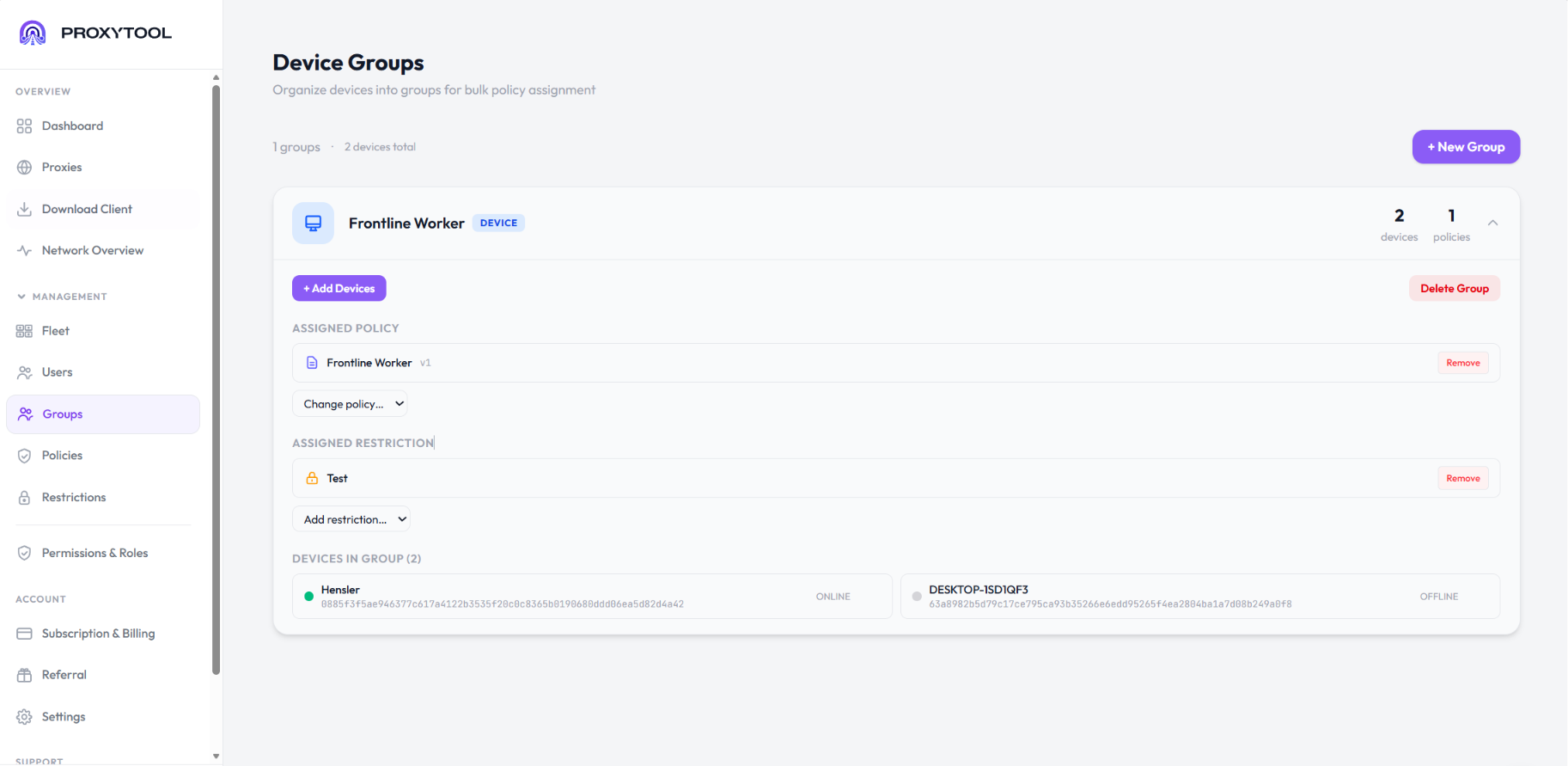
Group & Project Management
Organize machines and proxies into groups per team, client, or project. Rename groups, move devices between them, and apply group-wide policies without touching individual machines.
- Group devices by team or client
- Apply policies per group
- Rename and reorganize anytime
Real-Time Fleet Monitoring
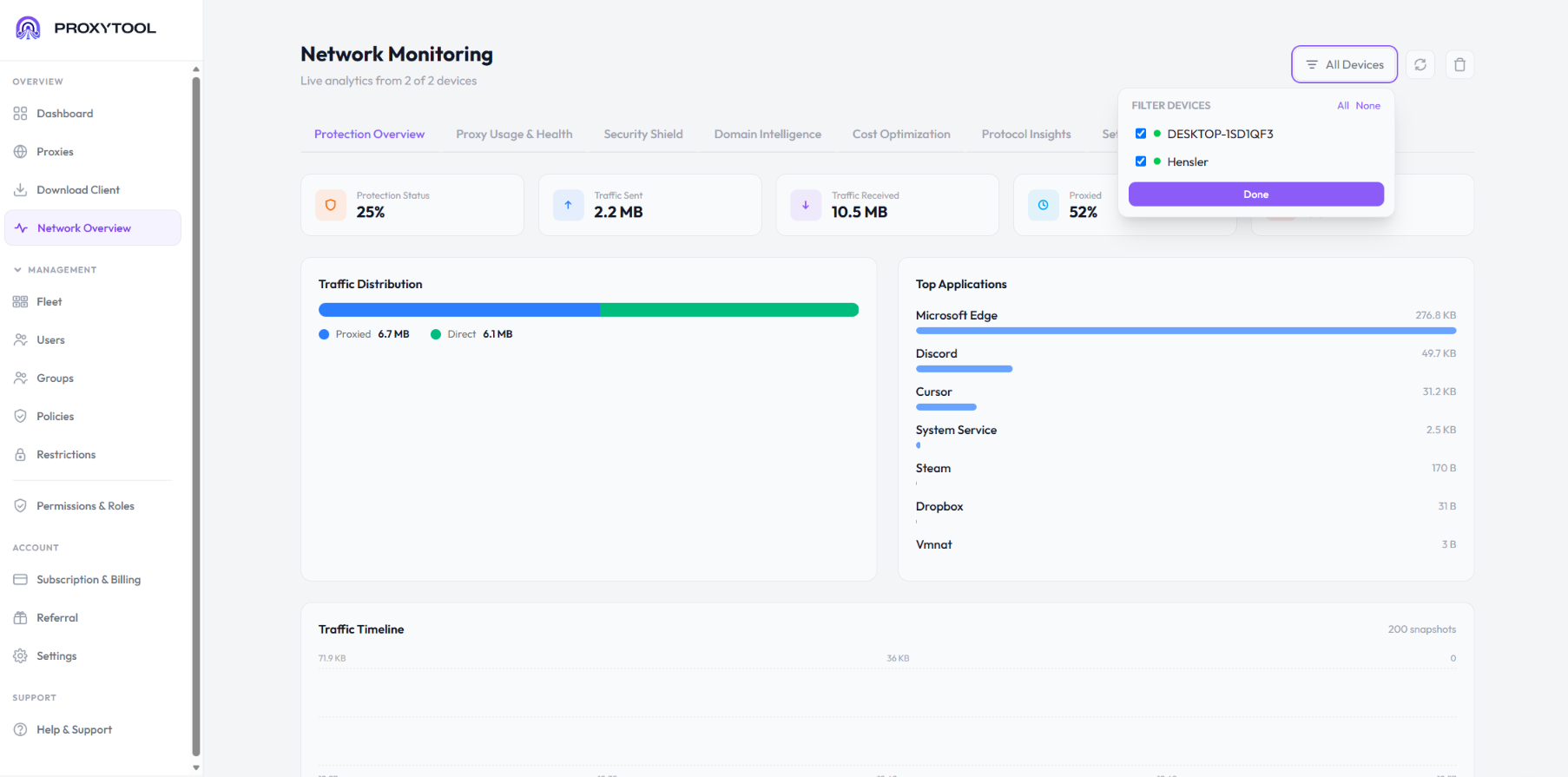
Active proxies, average latency, uptime, request volume, and recent connections across the entire team from a single screen. Spot anomalies and identify bandwidth-heavy workflows before they become problems.
- Live metrics across the fleet
- Anomaly detection alerts
- Export reports for finance
Per-App Routing for Every Member
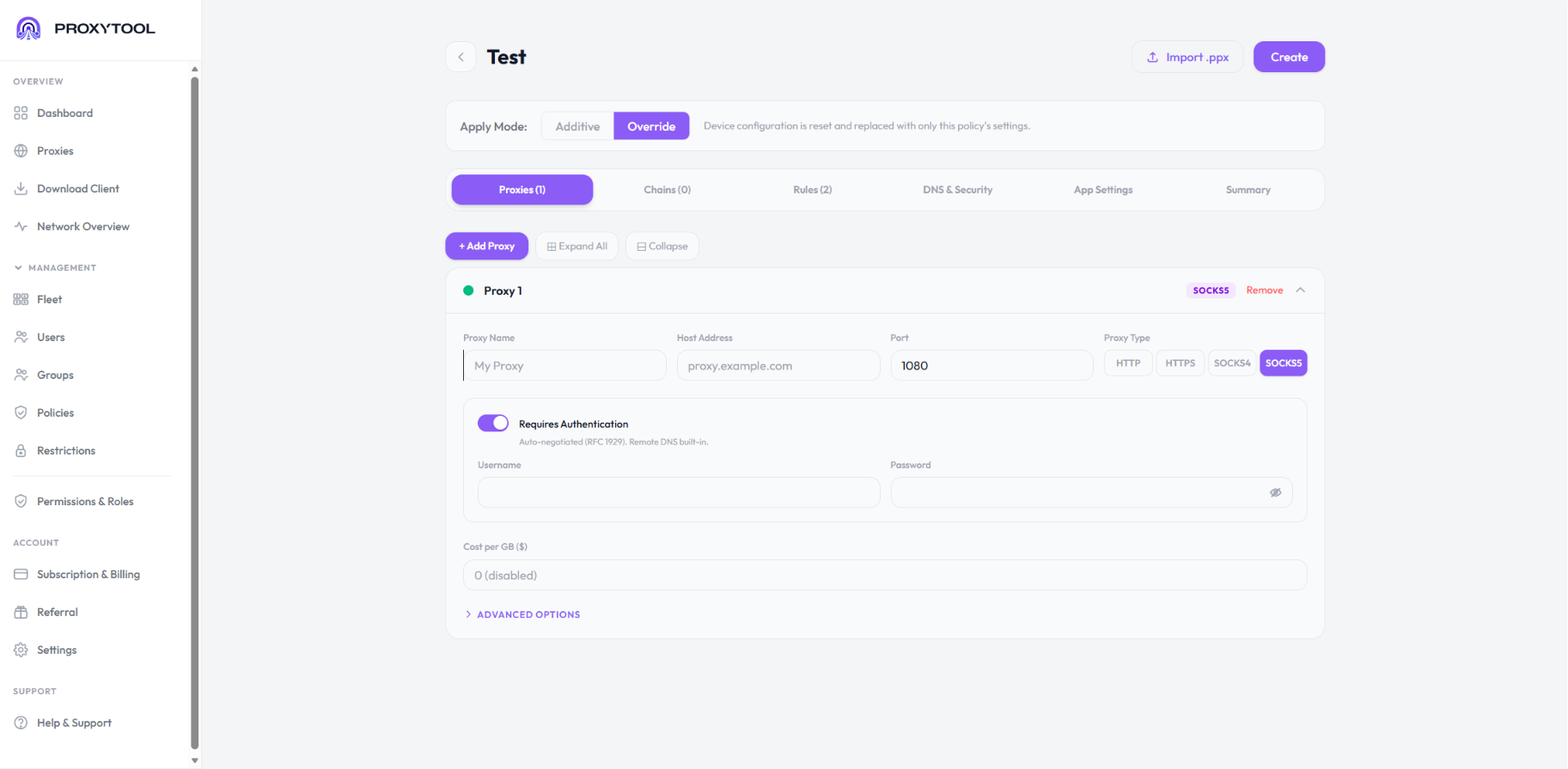
Each team member can have their own per-app routing rules layered on top of team-wide policies. Work apps through the company proxy. Personal apps direct.
- Per-app and per-domain rules
- Team policies plus personal rules
- Wildcards and conditional logic
Integrated Proxy Marketplace
Buy residential, datacenter, mobile, and static proxies inside the dashboard. Allocate them to specific team members or projects. Centralized billing means one invoice replaces five provider accounts — powered by Evomi.
- Allocate per team or project
- One unified invoice
- No juggling separate provider logins
Who Uses ProxyTool for Team Proxy Management
Corporate proxy management means different things to different teams. ProxyTool covers the most common scenarios.
Web scraping teams. Distribute residential pools across scrapers, control which targets use which proxies, and monitor success rates centrally.
IT departments. Standardize proxy config across employee laptops, push security policies fleet-wide, and audit who's connecting to what.
Marketing & ad verification. Verify ads from different geographies through one dashboard, with usage tracked centrally for budget allocation.
Social media & e-commerce teams. Give every brand or client account a consistent proxy assignment, with rotation where it fits and per-account visibility.
Growing agencies. Onboard clients without spinning up new infrastructure. Tag proxies per client and generate per-client usage reports.
Security researchers. Coordinate proxy access across red team operations, with full audit logs and isolated proxy chains per engagement.
Security Built for IT Review
Enterprise proxy client deployments fail when security teams say no. ProxyTool was architected with the security review in mind.
- Encrypted credential storage. All proxy credentials are encrypted at rest and never transmitted in plain text.
- Signed and notarized binaries. Both desktop client and dashboard ship with verified signatures. Passes Windows SmartScreen and macOS Gatekeeper cleanly.
- No telemetry by default. ProxyTool doesn't phone home with usage data. What happens on your fleet stays on your fleet.
- Role-based access plus audit logs. Every config change, proxy purchase, and access grant is logged with timestamp and actor.
- SSO and SCIM on request. Identity provider integration can be arranged as part of an Enterprise plan.
- Compliance-ready. Built to support SOC 2 and ISO 27001 review processes. Documentation available for procurement.
Plans That Scale With Your Team
Four plans cover everything from a single phone to a full fleet. Mobile, Standard, and Team Premium start with a free trial; for large fleets, contact sales for a custom Enterprise plan.
| Plan | Best for | Includes |
|---|---|---|
| Mobile | Phones and tablets only | $2.99 per device per month, iOS and Android, every Standard feature |
| Standard | Individuals and small setups | $12.59/month for the first device, $2.99 for each additional device, every platform (computers and phones), central configuration from the dashboard |
| Team Premium (Most Popular) | Power users and growing teams | $39.99/month including 3 devices, everything in Standard, full analytics and rule locking, priority support, early access to betas, 20% off with annual billing |
| Enterprise | Large deployments and custom needs | Custom pricing, unlimited devices, everything in Team Premium, dedicated account manager, SLA and on-premise options, invoice billing (NET 30) |
Frequently Asked Questions
What does proxy management for teams actually mean?
It's a way to control proxy access, configuration, and billing across multiple users from one place. Instead of every team member running their own client and managing their own proxies, the team operates from a centralized dashboard where admins set policies, distribute proxy access, and monitor usage.
How is this different from giving everyone their own proxy client?
Individual proxy clients work fine for one user. They break down at team scale because there's no central visibility, no consistent configuration, and no way to enforce policy. Centralized proxy management adds the layer that makes it work for groups: shared credentials, fleet-wide rule pushes, role-based access, and unified billing.
Does ProxyTool integrate with our identity provider?
SSO and SCIM provisioning can be arranged as part of an Enterprise plan. Mobile, Standard, and Team Premium use email-based invites and manual user management. Talk to sales if you need a specific integration for your stack.
How does fleet proxy management handle remote workers?
The ProxyTool app runs on each machine (Windows, macOS, Linux) and on Android, iPhone, and iPad devices, and connects back to the central dashboard regardless of location. Remote workers, contractors, and distributed teams get the same configuration and policy enforcement as local employees.
Can we use our existing proxy providers?
Yes. ProxyTool works with proxies from any provider that supports SOCKS5 or HTTPS, so existing contracts with Bright Data, Oxylabs, Smartproxy, NetNut, or anyone else carry over. The integrated marketplace is an option, not a requirement.
What happens if a team member leaves?
Revoke their account in the dashboard and all access cuts immediately. Their machine loses authentication, the proxies they had access to stay assigned to other members or return to the unallocated pool, and audit logs preserve the history of what they did.
Conclusion
Individual proxy clients were never designed for groups. Once you have more than a handful of machines, the real cost isn't the proxies — it's the manual overhead of keeping every machine configured, credentialed, and auditable. Centralized proxy management for teams removes that overhead: one dashboard, role-based access, remote config push, fleet-wide monitoring, and unified billing. Whether you're a scraping team, an IT department, or a growing agency, that's the difference between managing proxies and fighting them.